Simplis.IT
The I.T. you need
Hire IT that feels like an invested part of your team; not a faceless email ticketing system and endless calls on hold.
About Simplis
Direct IT service from a technician laser focused on practical systems, clear communication, and technology that fits the way your business actually works. Get individually tailored solutions and support with one direct point of contact. Skip sales pitches and buzzwords from IT firms who want to meet a quarterly quota at the cost of your business productivity cratering. Simplis is available to offer evaluation and consultation services to assist you even if you've currently got a project monster growing out of control.

I work directly with businesses in Kamloops and the Thompson-Nicola area to plan, deploy, and support the IT they depend on. Not building custom bespoke and expensive solutions to problems already solved by the market in order to lock you in.
My approach is personal and practical: understand the environment, explain the tradeoffs clearly, and keep the solution manageable after the install.
Whether the work is digital or physical; cloud, networking, security cameras, access control, phones, continuity, Artificial Intelligence, Automation, Digital Transformation, or day-to-day support, the goal is the same: useful technology you retain ownership, control, and direction over.
About Ryan
> Role         : Direct IT contact
> Coverage     : Kamloops and Thompson-Nicola
> Focus        : Practical support, clean deployments, long-term fit
Managed Service
Regular MSP support for workstations, users, vendors, updates, documentation, monitoring, and the day-to-day IT work that keeps businesses moving.

Handle user onboarding, workstation setup, updates, troubleshooting, and regular support requests.
Coordinate with software, internet, phone, copier, and line-of-business vendors when problems cross systems.
Keep accounts, devices, access, standards, and environment notes documented so support stays practical.
Managed Services
> Current State : Operational
> Useful Next   : Review devices, users, vendors, and support standards
Cloud Deployment
Cloud planning and rollout for Microsoft 365, identity, file moves, permissions, endpoint onboarding, and clean migration paths.

Plan Microsoft 365 tenants, domains, licensing, identity, security defaults, groups, and administrative access before rollout.
Move mail, files, and shared workspaces with attention to permissions, ownership, naming, retention, and user disruption.
Prepare devices, MFA, conditional access, backup expectations, documentation, and post-migration support so the deployment settles cleanly.
Cloud Deployments
> Current State : Plan First
> Useful Next   : Map identity, files, permissions, and rollout sequence
Advisory
Practical AI planning for workflow review, automation, prompt design, and places where AI reduces friction.

Find repeated work before choosing tools.
Design small automations that are easy to verify and maintain.
Keep AI adoption practical, governed, and useful to the people doing the work.
AI Strategy
> Current State : Advisory
> Useful Next   : Map repetitive work before choosing tools
Business Continuity
Business Continuity planning for keeping essential operations running through outages, data loss, hardware failure, vendor disruption, and other incidents.

Identify critical systems, people, files, communications, vendors, and physical access needs so the business knows what must keep operating first.
Set practical recovery objectives for downtime and data loss, then validate backup and restore paths instead of assuming they will work.
Document restore order, replacement hardware paths, alternate workflows, manual workarounds, vendor contacts, passwords, and outage communication steps.
Review the plan periodically as staff, systems, locations, vendors, and priorities change.
Business Continuity
> Current State : Plan Required
> Useful Next   : Define critical operations, recovery targets, and restore order
Canadian Operations
Practical planning for Canadian privacy obligations, medical data handling, data sovereignty expectations, and AI governance.

Map what personal information is collected, where it is stored, who can access it, and which federal or provincial privacy law applies.
For medical or health information, treat requirements as stricter and province-specific: confirm custody, consent, access logging, retention, breach response, and vendor handling before choosing systems.
For data sovereignty, document where cloud data, backups, logs, support access, and AI inputs are processed, including any cross-border transfer or remote support exposure.
For AI, avoid sending confidential, personal, or patient information into tools until retention, training use, residency, access controls, and auditability are understood.
Canadian Requirements
> Current State : Jurisdiction Matters
> Useful Next   : Map data, vendors, residency, and AI exposure
Infrastructure
Wi-Fi, routing, switching, remote access, and office connectivity built for real workdays.

Map coverage, wiring, VLANs, switching, and internet dependencies.
Deploy UniFi network equipment where a single managed platform improves operations.
Tune the network for reliability, visibility, and future support.
Network Status
> Current State : Operational
> Useful Next   : Map weak spots and uptime dependencies
UniFi Protect
UniFi Protect deployments using UniFi cameras, NVRs, local video storage, AI detections, and alert workflows.

Plan camera placement, retention, network capacity, and NVR sizing around the business need.
Deploy UniFi cameras, PoE switching, recording storage, user permissions, and mobile access.
Tune detection zones, alert logic, and review workflows so alerts stay useful.
Camera Deployment
> Platform     : UniFi Protect
> Strengths    : AI detections, local storage, trusted hardware
> Service      : Design, install, tuning, alert review
Communications
Phone systems and call flows that stay understandable when people, locations, or vendors change.

Review numbers, call paths, devices, voicemail, and after-hours behavior.
Keep call routing documented so changes do not become guesswork.
Plan failover for key phone workflows where downtime matters.
Business Phones
> Current State : Serviceable
> Useful Next   : Review numbers, call paths, and failover
Display Systems
Digital signage support for screens, scheduling, content delivery, and the small failures that make displays go stale.

Review display locations, players, content sources, and update responsibility.
Deploy signage workflows that are easy to maintain after installation.
Troubleshoot playback, network, and content scheduling issues.
Signage Status
> Current State : Visible
> Useful Next   : Review playback, updates, and ownership
UniFi Access
Door and gate access control built on UniFi Access hubs, readers, intercoms, PoE wiring, and Protect camera integrations.
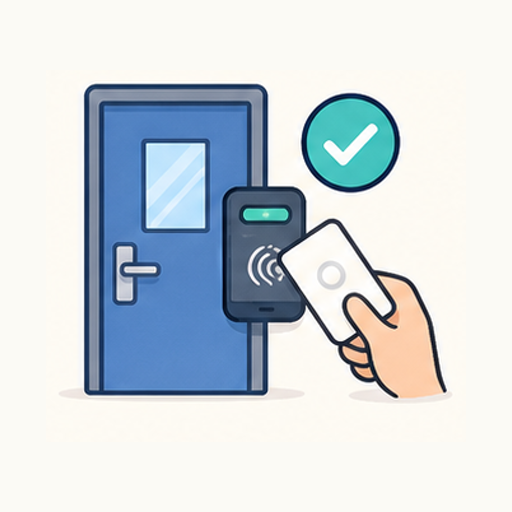
Design door, gate, reader, intercom, and unlock workflows before hardware is ordered.
Install UniFi Access hubs, readers, credentials, schedules, and event recording.
Tie Access and Protect together where video verification, visitor screening, or gate workflows matter.
Access Deployment
> Platform     : UniFi Access
> Strengths    : Readers, hubs, intercoms, PoE, event records
> Service      : Door planning, install, policy setup, testing
Direct Help
ScreenConnect, remote troubleshooting, on-site follow-up, and one accountable contact.

Use remote access for fast diagnosis when that is enough.
Follow up on site when cabling, hardware, Wi-Fi, or physical systems need hands-on work.
Keep support tied to the larger environment instead of one-off fixes.
Support Session
> Current State : Available
> Useful Next   : Call or start a remote session